Free

ROSACE

Drag, tap a key, drop.

A file converter for Windows that fits in a wheel. Drag a file anywhere, tap Shift, Ctrl or Alt, and the wheel opens under your mouse: drop it on JPG, HEVC, MP3, ZIP or iPhone, and you’re done. Everything happens on your PC.

Free, No card needed

System
Windows 10 and 11, 64-bit
Version
1.0.0 · 21 Nov 2026
Full specifications ↓ Version 1.0.0 · what’s new ↓

A wheel under your mouse

No window to open: ROSACE waits by the clock and shows up the moment you drag a file.

Shift: another format

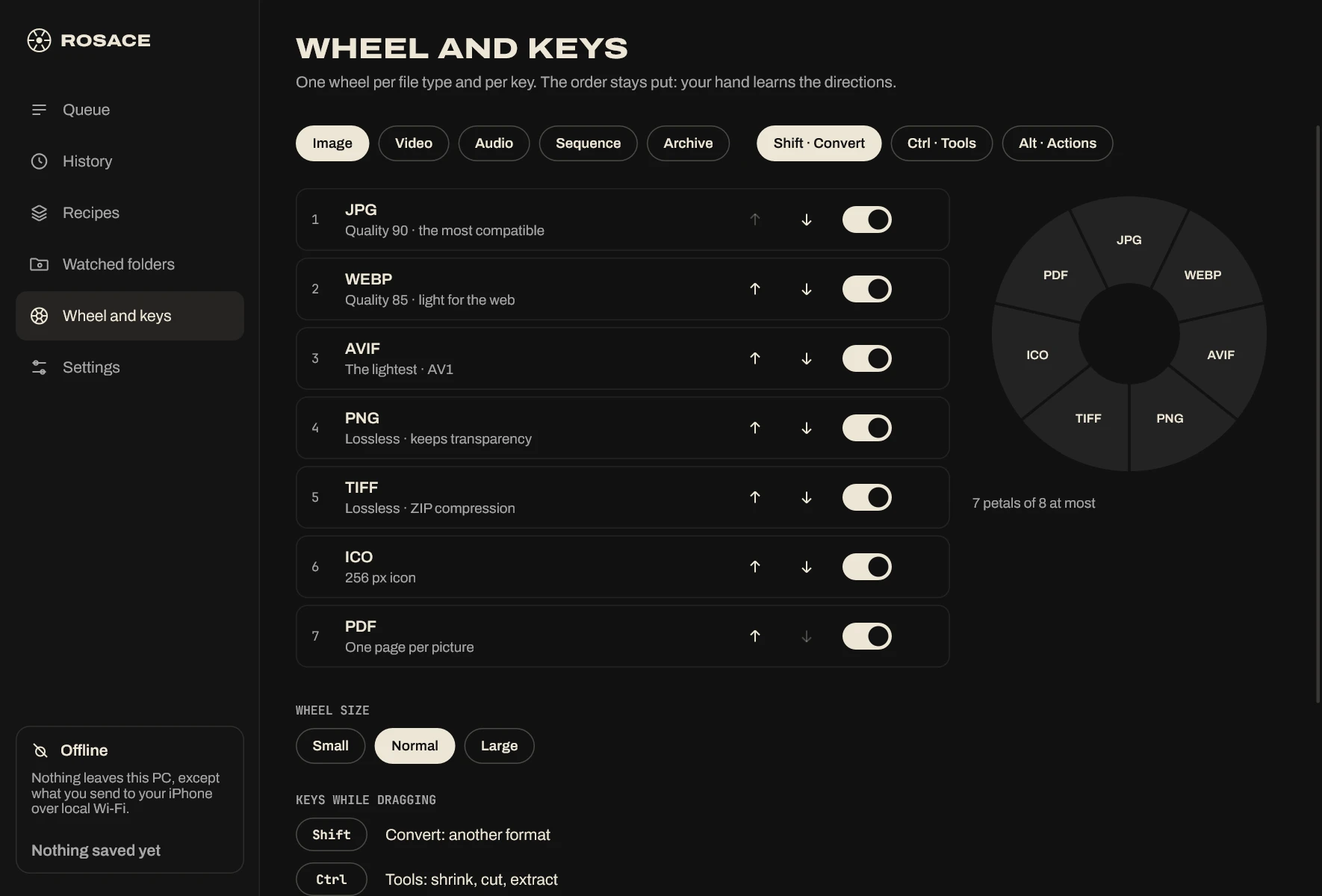
Drag an image, tap Shift: JPG, WEBP, AVIF, PNG, TIFF, ICO or PDF. Before you even let go, the centre of the wheel tells you how much the result will weigh. A card at the bottom of the screen follows the conversion, and the original is never touched.

Hold for a moment: the settings

Keep the mouse on a petal: a second ring opens with its settings. Quality 95, 75 or 60, 2048 or 1080 px wide… drop on the right one, with no dialog box.

Videos and audio too

A video becomes MP4, HEVC, AV1, WEBM, GIF or MP3; audio becomes MP3, WAV, FLAC, M4A, OPUS or AIFF. ROSACE uses your NVIDIA card when you have one, and handles several files at once: 4 clips in 4K to HEVC in 9.4 s. An EXR or DPX sequence is seen as a single shot: a review MP4, ProRes 4444 or DNxHR, and ROSACE checks it for missing frames.

Alt: sort, zip, send

Copy the path, copy the file, make a ZIP or a 7z, put it in a folder, open a terminal, merge images into one PDF… or send it to your iPhone over your home Wi-Fi, with the LocalSend app open on the phone.

And when you want more

No dragging needed: select files in Explorer, then tap Shift, Ctrl or Alt twice.

Ctrl: the tools

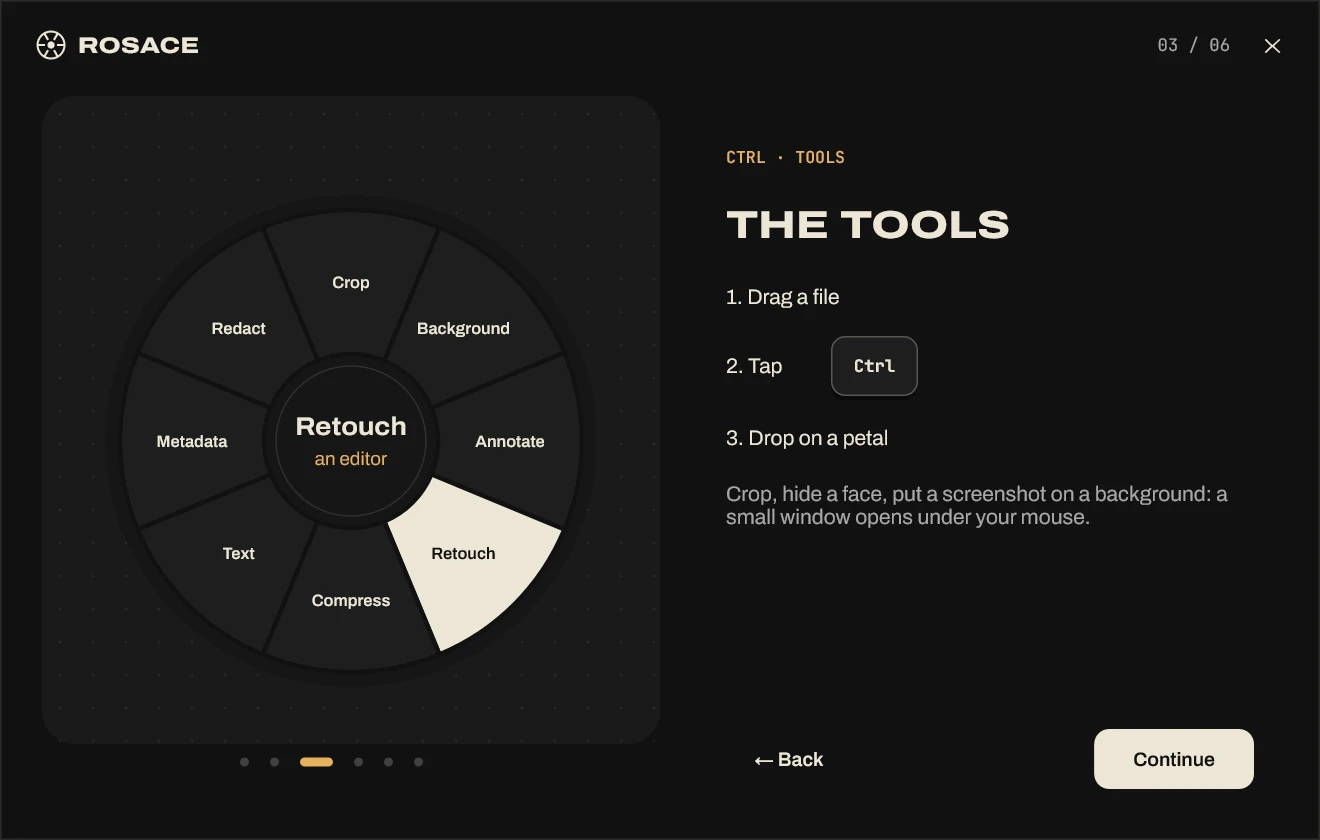
On an image: crop, place it on a gradient with margins and rounded corners, annotate with arrows, fix the light, compress, read its text, strip GPS and dates, hide a face. On a video: fit it under 25 MB, make it 1080p or a ProRes proxy, mute it, grab a frame or the audio. On audio: bring it to −14 LUFS, denoise, add fades, make it mono. A small window opens under your mouse when needed.

Your recipes, your watched folders

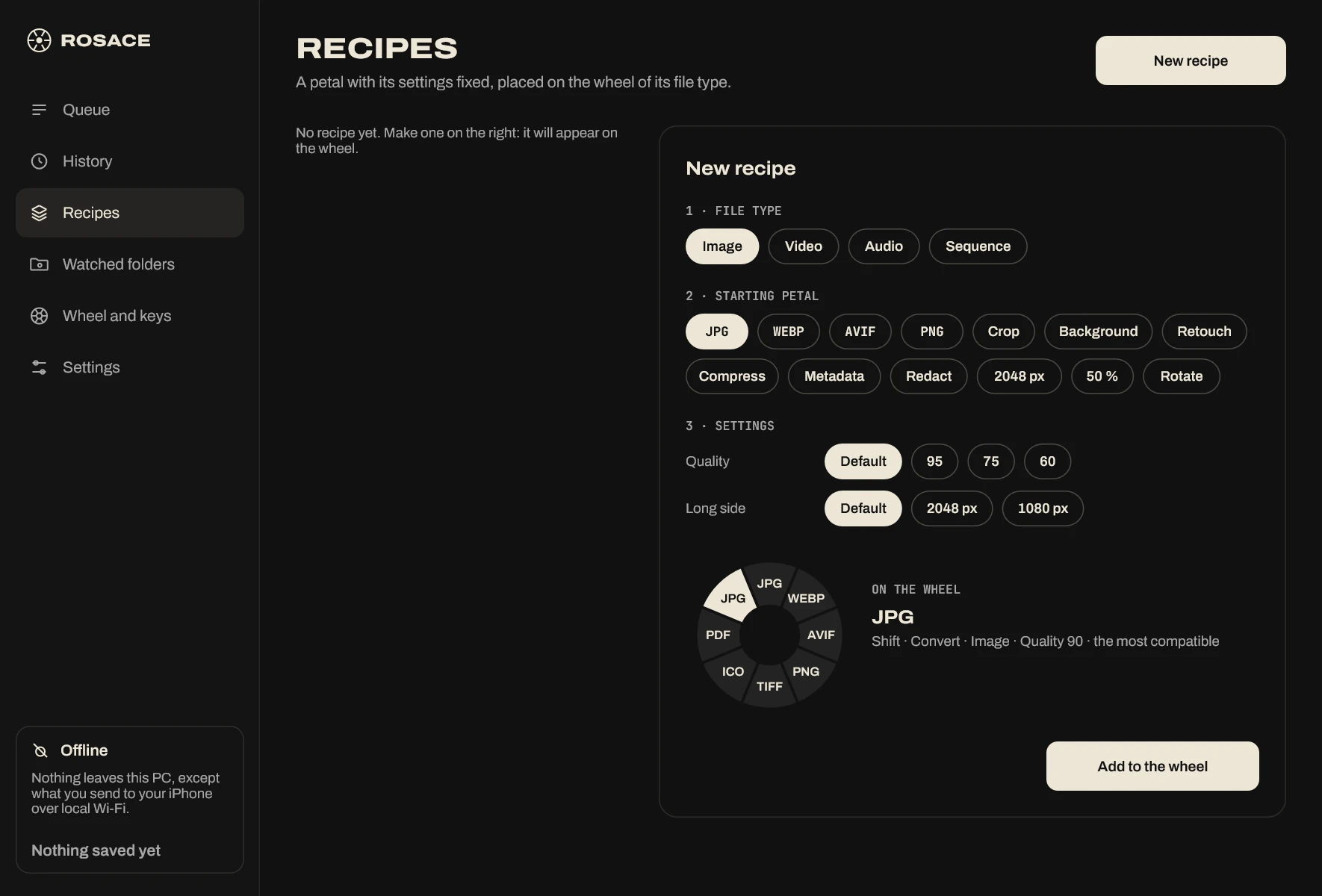
A recipe is a petal with its settings locked in, placed on the wheel for its file type. A watched folder converts whatever lands in it on its own: every HEIC photo in Downloads becomes a JPG. The window also keeps the queue and the history.

Your wheel, in your order

Pick the petals and their order for each file type, the size of the wheel, and the apps where it stays closed: in After Effects for example, Shift, Ctrl and Alt keep their usual job.

100% local.

No account, no cloud, no ads. Your files only leave your PC if you send them to your iPhone yourself, over your own Wi-Fi.

Specs

System
Windows 10 and 11, 64-bit
Install
71 MB, no admin rights needed; FFmpeg included, nothing else to install
Images
JPG, WEBP, AVIF, PNG, TIFF, ICO, PDF; HDR files brought down to SDR
Videos
MP4, HEVC, AV1, WEBM, GIF, MP3; NVIDIA card used when there is one, otherwise the CPU
Audio
MP3, WAV, FLAC, M4A, OPUS, AIFF
Sequences
EXR and DPX seen as a single shot: Rec.709 review MP4, ProRes 4444, DNxHR, 16-bit PNG; missing frames, contact sheet
Keys
Shift convert, Ctrl tools, Alt actions; without dragging: tap the key twice on a selection
iPhone
Over local Wi-Fi, with the free LocalSend app
Languages
English, French
Price
Free, for your email address
Version
1.0.0

FAQ

Is it really free?

Yes, with no licence key and no limits. Leave your email address: the download link is sent there.

Do my files go online?

No. Every conversion happens on your PC. Only sending to your iPhone goes over your Wi-Fi, straight from your PC to your phone.

What about my original file?

It’s never changed: the result lands next to it. If the folder is protected, it goes to your Downloads, and the card tells you.

Will the wheel get in the way of my shortcuts in After Effects?

No: it only opens while you’re dragging a file, and you can keep it closed in the apps of your choice (After Effects for example).

Do I need an NVIDIA card?

No. With an NVIDIA card, videos convert faster; without one, the CPU does the work.

What about Mac?

There’s no Mac version: ROSACE is made for Windows.

A word from Eric

ROSACE is one of my first tools. I build everything myself, from the engine to this website, and I keep improving it from your feedback.

A question, an issue or an idea for a feature? Write to me: I answer every email myself, and that’s how the tools get better.

Email me

Eric, ARTEFACT LAB

Reviews

No reviews yet. Using ROSACE? Be the first to say what you think.

Only people who have the product can leave a review, and every review is read before it goes online, negative ones included. Each author gets a 10% off code, whatever their rating. How reviews work

Only people who have the product can leave a review: the email entered must match an order of this product (a free download counts). That’s what the “Verified purchase” badge (or “Verified download” for a free product) shows.

I read every review myself before publishing it, usually within a few days. Negative reviews are published like the others. A review is only turned down if it contains insults or defamation, personal information or advertising, isn’t about the product, or doesn’t seem to come from real use; its author then gets the reason by email and can write a new one.

Every author gets a 10% discount code (one per person, not combinable with another discount or a sale), whatever their rating and whether or not the review is published.

Reviews are sorted from newest to oldest, never by rating, and stay online as long as the plugin is sold. To change or remove yours, write to contact@artefactlab.studio.

Your review of ROSACE

A few words are enough: what you made with it, what you liked, what’s missing.

Your rating

Use the email of your order: it’s how I check you have the plugin. Your 10% off code goes there too.

What’s new

Every update downloads from My account, on this site.

v1.0.0 Latest version

First release

  • New ROSACE is out.
Free

ROSACE

Ready to drop your files?

Free: leave your email and the download link arrives right away.

Free, no card needed.

More from the lab

All products →

Free

Get

Enter your email: the download opens right away, and the link is sent to you as well.

−10%

10% off your first plugin

Sign up for the lab newsletter: new plugins, tutorials and launch offers. Your discount code arrives by email.

No spam, unsubscribe in one click. Code valid for 30 days, for one purchase.

Write to me

Pick your mail: the message opens with my address already filled in. I answer myself.

My address contact@artefactlab.studio